1099-NEC vs 1099-K: What Every Freelancer Needs to Know in 2026
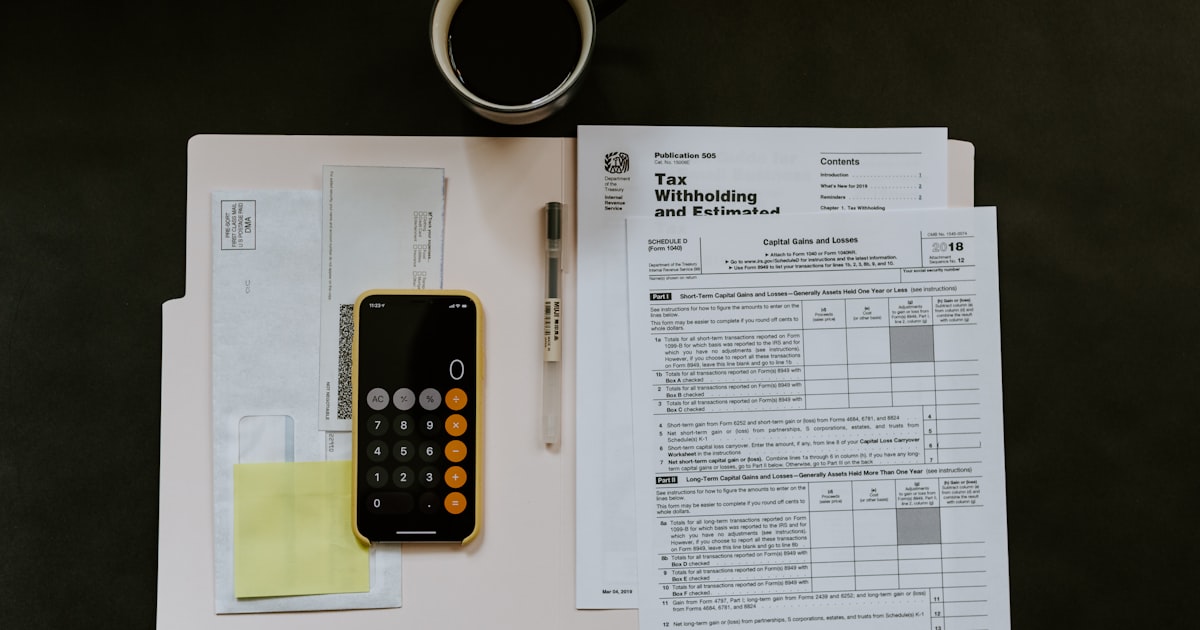
If you freelance in 2026, you will likely receive at least one 1099 form — and possibly several. The two most common are the 1099-NEC and the 1099-K, and they report very different things.
Getting them confused — or worse, double-reporting the same income — can mean overpaying taxes or triggering an IRS notice. Here is everything you need to know to handle both forms correctly.
$2,000
New 1099-K threshold (2026)
$600
1099-NEC threshold
44M+
1099-K forms expected in 2026
Jan 31
Deadline for issuers to send
What Is Form 1099-NEC?
Form 1099-NEC (Non-Employee Compensation) reports payments made directly from a client to you for services. A client must send you a 1099-NEC if they paid you $600 or more during the tax year.
Key facts about the 1099-NEC:
- Who sends it: The client or business that paid you directly (via check, bank transfer, Zelle, or cash)
- Threshold: $600 or more in total payments during the year
- What it reports: Gross payments for services — no deductions subtracted
- Filing deadline: January 31 (to both you and the IRS)
- Where you report it: Schedule C (Form 1040), Line 1
IRS Regulation
The 1099-NEC replaced Box 7 of the old 1099-MISC for reporting non-employee compensation starting in tax year 2020. If you see references to "1099-MISC Box 7" in older resources, that information now applies to the 1099-NEC. The 1099-MISC still exists but is used for other types of payments like rent, royalties, and prizes.
What Is Form 1099-K?
Form 1099-K (Payment Card and Third Party Network Transactions) reports payments processed through a third-party payment platform. The platform — not your client — sends this form.
Key facts about the 1099-K:
- Who sends it: Payment processors and platforms — PayPal, Venmo, Stripe, Square, Upwork, Fiverr, Etsy
- Threshold (2026): $2,000 in gross payments (no transaction minimum)
- What it reports: Gross transaction volume — includes refunds, fees, and returns before adjustment
- Filing deadline: January 31 (to both you and the IRS)
- Where you report it: Schedule C (Form 1040), as part of gross receipts
The Big 2026 Change: 1099-K Threshold Drops to $2,000
Before 2022, you only received a 1099-K if a platform processed more than $20,000 and 200 transactions for you in a year. Most freelancers never got one.
The American Rescue Plan Act of 2021 lowered the threshold to $600 with no transaction minimum, but the IRS delayed implementation and phased it in gradually:
- 2023: Old rules stayed in effect ($20,000 / 200 transactions) — IRS delayed rollout
- 2024: Threshold lowered to $5,000 (transition year)
- 2025: Threshold lowered to $2,500
- 2026: Threshold is now $2,000 with no transaction minimum
What This Means for You
If you receive even $2,000 through PayPal, Venmo, Stripe, or any freelance platform during 2026, you will get a 1099-K. Many freelancers who never received this form before will see one for the first time. This does not mean you owe more taxes — it means the IRS has more visibility into payments you should have been reporting all along.
1099-NEC vs 1099-K: Side-by-Side Comparison
| Feature | 1099-NEC | 1099-K |
|---|---|---|
| Full name | Non-Employee Compensation | Payment Card and Third Party Network Transactions |
| Who sends it | Your client or their business | Payment platform (PayPal, Stripe, Upwork, etc.) |
| 2026 threshold | $600 | $2,000 |
| Transaction minimum | None | None (eliminated) |
| What it reports | Direct payments for services | Gross payment volume through the platform |
| Includes fees/refunds? | No | Yes — gross amount before platform fees |
| Risk of overlap | Low | High — same income may also appear on a 1099-NEC |
Who Sends Each Form?
The key distinction is simple: your client sends the 1099-NEC, and the payment platform sends the 1099-K. Here are common scenarios:
- Client pays you via bank transfer or check: Client sends 1099-NEC. No 1099-K.
- Client pays you via PayPal: Client may send 1099-NEC. PayPal sends 1099-K if you hit the threshold.
- You work through Upwork: Upwork sends 1099-K. The end client typically does not send a 1099-NEC because Upwork is the paying entity.
- Client pays via Venmo: Client may send 1099-NEC. Venmo sends 1099-K if you exceed $2,000.
- Client pays via Zelle: Client sends 1099-NEC. No 1099-K — Zelle is a bank transfer, not a third-party network.
Pro Tip
Zelle payments are processed directly between banks and are not reported on 1099-K forms. However, your client should still send you a 1099-NEC if they pay you $600 or more via Zelle. Many freelancers prefer Zelle specifically to avoid 1099-K complications, but remember: the income is still taxable regardless of payment method.
Track every payment source in one place
mozey helps freelancers track income from all clients and platforms — so reconciling 1099s at tax time takes minutes, not hours.
Try mozey FreeWhat to Do When You Receive Both a 1099-NEC and a 1099-K
It is completely normal to receive both forms. The problem arises when the same income shows up on both, which happens more often than you would expect.
Example: A client hires you for a $10,000 project and pays through PayPal. The client sends you a 1099-NEC for $10,000. PayPal also includes that $10,000 on your 1099-K. Your total 1099 income appears to be $20,000 — but your actual income is $10,000.
How to handle this:
- Report your actual total income on Schedule C — not the sum of all 1099s
- Keep a spreadsheet or use an income tracking tool that logs every payment with the source, amount, date, and payment method
- If the IRS sends a notice about unreported income, respond with documentation showing the overlap
- Consider asking clients not to send a 1099-NEC when they pay through a platform that will issue a 1099-K
How to Avoid Double-Reporting Income
Double-reporting means paying taxes twice on the same income. It is the most expensive mistake you can make with 1099 forms. Here is how to prevent it:
- Track income by payment, not by 1099. Your books should reflect actual payments received, not 1099 totals.
- Tag each payment with its source. Note whether each payment came via direct transfer, PayPal, Stripe, Upwork, or another platform.
- Reconcile before filing. Add up your 1099-NEC and 1099-K totals, then compare to your actual income. If the 1099 total is higher, identify the overlapping payments.
- Report actual income on Schedule C. The IRS knows that 1099 totals can exceed actual income due to overlap. Report what you actually earned.
IRS Matching Program
The IRS uses an Automated Underreporter (AUR) program that compares the income on your tax return against all 1099s filed with your Social Security number. If your reported income is lower than the 1099 total, you may receive a CP2000 notice. This is not an audit — it is an automated letter asking you to explain the difference. Respond with documentation showing the overlap. If your reported income is higher than the 1099 total (because some clients did not send forms), you will not hear from the IRS.
How to Reconcile Your 1099s with Actual Income
Follow this process every January when 1099 forms start arriving:
- Step 1: Gather all 1099-NEC and 1099-K forms. You should receive them by January 31.
- Step 2: List every freelance payment you received during the year from your own records (bank statements, invoicing tool, payment platform history).
- Step 3: Match each 1099 to your records. Flag any payment that appears on both a 1099-NEC and a 1099-K.
- Step 4: Note income that does not appear on any 1099 — you still must report it.
- Step 5: Report your actual total income on Schedule C. If it differs from the 1099 total, keep your reconciliation notes in case the IRS asks.
Pro Tip
The 1099-K reports gross transaction amounts, which includes platform fees. If Upwork processed $10,000 in client payments but kept $1,000 in fees, your 1099-K shows $10,000 — not $9,000. You received $9,000. Report $10,000 as gross income on Schedule C, then deduct the $1,000 platform fee as a business expense. This keeps your return consistent with what the IRS sees on the 1099-K. Learn more about deductible expenses for 1099 contractors.
Common Mistakes Freelancers Make with 1099 Forms
- Adding all 1099 totals together as income. This double-counts overlapping payments and inflates your tax bill.
- Ignoring a 1099-K because "the client already sent a 1099-NEC." The IRS sees both forms. You need to reconcile, not ignore.
- Not reporting income below the threshold. Just because a client did not send a 1099-NEC for a $500 payment does not mean it is tax-free.
- Forgetting to deduct platform fees. If your 1099-K is $10,000 but you only received $9,000 after fees, deduct that $1,000 on Schedule C.
- Not keeping records of payment sources. Without clear records, reconciling 1099s at tax time is nearly impossible.
- Panicking about a CP2000 notice. It is not an audit. Respond with documentation and the issue usually resolves quickly.
How mozey Helps You Stay on Top of 1099 Income
When you track expenses and income through mozey throughout the year, reconciling 1099 forms becomes straightforward. Every invoice and payment is logged with the client name, amount, date, and payment status.
At tax time, you can instantly see your total income, compare it to your 1099 forms, and identify any overlaps or missing forms. Combined with expense tracking, you always know your net self-employment income — which is what you actually owe taxes on. No more guessing, no more overpaying.
Frequently Asked Questions
Can I receive both a 1099-NEC and a 1099-K for the same income?
Yes, this can happen and it is one of the most common sources of confusion. For example, if a client pays you $5,000 through PayPal, the client might send you a 1099-NEC for $5,000 and PayPal might also send you a 1099-K that includes that same $5,000. You do not owe taxes twice on this income. Report your total actual income on Schedule C, then use a reconciliation worksheet or a note on your return to explain any discrepancy between your 1099 totals and reported income. Keep records of every payment and which platform processed it so you can match amounts if the IRS sends a notice.
What is the 1099-K threshold for 2026?
For tax year 2026, payment platforms like PayPal, Venmo, Stripe, and Upwork must send you a 1099-K if they processed $2,000 or more in payments to you during the year. This is a significant drop from the original $20,000 and 200 transaction threshold that was in effect before 2022. The IRS phased the threshold down gradually: $5,000 for 2024, $2,500 for 2025, and now $2,000 for 2026. The 200 transaction minimum has been eliminated entirely. This means many more freelancers will receive 1099-K forms than in previous years.
Do I still need to report income if I did not receive a 1099?
Yes. All income is taxable regardless of whether you receive a 1099 form. The $600 threshold for 1099-NEC and the $2,000 threshold for 1099-K are reporting requirements for the payer, not tax obligations for you. If a client pays you $400 and does not send a 1099-NEC, you still must report that $400 as income on Schedule C. The IRS expects you to report all business income, and failing to do so is the most common audit trigger for freelancers. Keep your own records of every payment received.
What should I do if my 1099 has the wrong amount?
Contact the issuer immediately and request a corrected form (1099-C). If the client or platform agrees the amount is wrong, they will file a corrected 1099 with the IRS and send you an updated copy. If you cannot get a corrected form before filing your tax return, report your actual income on Schedule C and keep detailed records that support your numbers. You can attach a statement to your return explaining the discrepancy. The IRS matching program will flag differences between your reported income and your 1099s, but a clear explanation with supporting documentation typically resolves the issue without penalty.
Stop Guessing at Tax Time
Track every freelance payment, reconcile 1099 forms in minutes, and never double-report income again.
Get Started FreeNo credit card required
Related Articles
Tax Deductions for 1099 Contractors
Every deduction you can claim as a freelancer to lower your taxable income.
How to Track Expenses as a Freelancer
Build an expense tracking system that saves you money at tax time.
Quarterly Estimated Taxes for Freelancers
How to calculate and pay quarterly taxes to avoid IRS penalties.
1099 vs W-2 Tax Deductions
Key differences in tax treatment between contractors and employees.